
Instructions
Seguite bene le istruzioni generali. Leggetele tutte prima di iniziare.
- Aprite il vostro account Teams.
- Fate gli esercizi nell'ordine indicato.
- Leggete bene le istruzioni in inglese prima di cominciare. Attenzione dovrete anche fare esercizi di matematica (principalmente geometria).
- Avete la possibilità di fare vari tentativi, ma dovete arrivare alla fine di ogni sfida.
- Quando avrete finito ogni sfida, chiamate Mrs. M che vi aiuterà a salvare i vostri attestati (per alcuni lavori) che le manderete tramite la vostra chat di Teams. Mrs. M invierà poi un attestato formale dalla UE dopo la chiusura della Codeweek.
- Il comportamento deve essere corretto. Se non avviene, sarete automaticamente sospeso dall'uso del PC almeno fino alla fine della CodeWeek.
- Se lavorate in due, abbiate pazienza e concordate le strategie. Ricordate: meno righe di coding usate, più leggero sarà il programma e meglio funzionerà.
Challenges
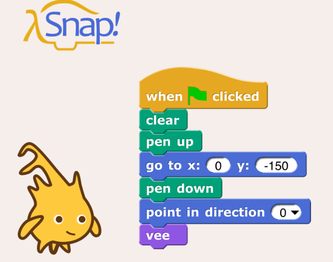
1- Create a flower and a garden of flowers!
- We will use the platform called "SNAP!". SNAP! is very similar to SCRATCH.
- Develop a program in Snap! which grows a virtual flower field with different types of flowers and different numbers of petals.
- The flower field should contain different types of flowers with different numbers of petals. Ideally, the flowers are programmed, which means that they are constructed by stamping and turning (or drawing and turning) petals repeatedly.
- Tutorial: VIDEO TUTORIAL
- At the end you will be able to save your masterpiece sending it to Mrs. M trhough Teams private chat, and to get your certificate.
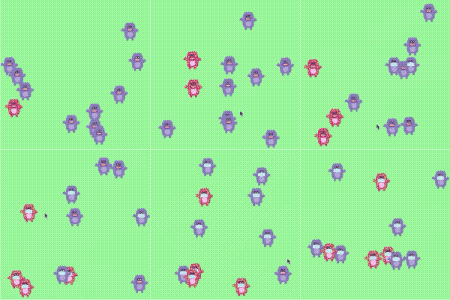
2- Create a simulation as a researcher in medicine.
- We will use the Studio Code platform to create a simulation.
- You should write a code to create and run your own simulation of the virus outbreak at Monster Town. Learn to code and make predictions about what will happen to the neighbours of Monster Town.
- WATCH THE VIDEO FIRST
- Get to the platform, you can skip the video if you have already watched it. Read the tutorial carefully.
- At the end share your results with Mrs. M through the Teams private chat and you will be able to get your certificate.
3- Make a virtual pet
watch the TUTORIAL
Program a virtual pat that the user can feed, play with, and look after.
Go to SCRATCH
TIPS:
- Costumes for States: Use different costumes to show the pet’s states, such as happy, hungry, or playing. You can switch costumes based on the pet’s actions.
- Interactions: Create buttons or clickable sprites for actions like feeding, playing, and sleeping. Use when this sprite clicked blocks to handle these interactions.
- Variables for Needs: Use variables to track the pet’s needs, such as hunger, happiness, and energy. Adjust these variables based on the user’s interactions.
- Broadcasting: Use broadcast messages to manage different activities and transitions between them.
ADVANCED TIPS:
- Health System: Add a health system to make the game more challenging. The pet’s health decreases if its needs are not met. Use a variable to track health and display it on the screen.
- Animations: Add animations for different actions. For example, animate the dog eating when it’s fed or playing with a ball when it’s in the playing state.
- Sound effetcs: Use sound effects to make the interactions more engaging. Play a barking sound when the dog is happy or a snoring sound when it's sleeping.
- Multiple Pets: Allow the use to choose between different pets, each with its own needs and behaviours. Create separate sprites and costumes for each pet.

4- Use Textual programming with HEDY
- With Hedy, you will create a Haunted House story with interactive elements. Every time the code is run a new story will be created. The story can also be read aloud by your computer and shared online.
- Follow the instructions for levels 1-5. Use the link below.
- With the help of these levels, we will write an interactive haunted house story.
- You may need emojis for level 2.
- LEVEL 1
- LEVEL 2
- LEVEL 3
- LEVEL 4
- LEVEL 5
- At the end share your results with Mrs. M through the Teams private chat and you will be able to get your certificate.
Source: